
How to CarShare
A guide to booking and managing your rides as a Saskatoon CarShare Co-operative member
Table of contents goes here
Before making your first booking
Before you book a shared vehicle for the first time, please familiarize yourself with the Saskatoon CarShare Co-operative’s Member Manual, which discusses pricing, responsibilities, and penalties in more detail.
For timely assistance
Please call or email the coordinator depending on urgency:
Phone/Text: (639) 471-8966
Email: help@saskatooncarshare.com
Getting help with bookings
Office Hours
Monday to Friday - 8:30 a.m. to 8:00 p.m.
Weekends - 9:00 a.m. to 6:00 p.m.
Holidays - 9:00 a.m. to 5:00 p.m.
Someone will be available to speak with you between 7:00 a.m. and 11:00 p.m. We can do things remotely for you, like changing or extending your booking, or locating a car that is in the wrong spot. However, please reserve non-urgent calls for office hours.
Booking a vehicle
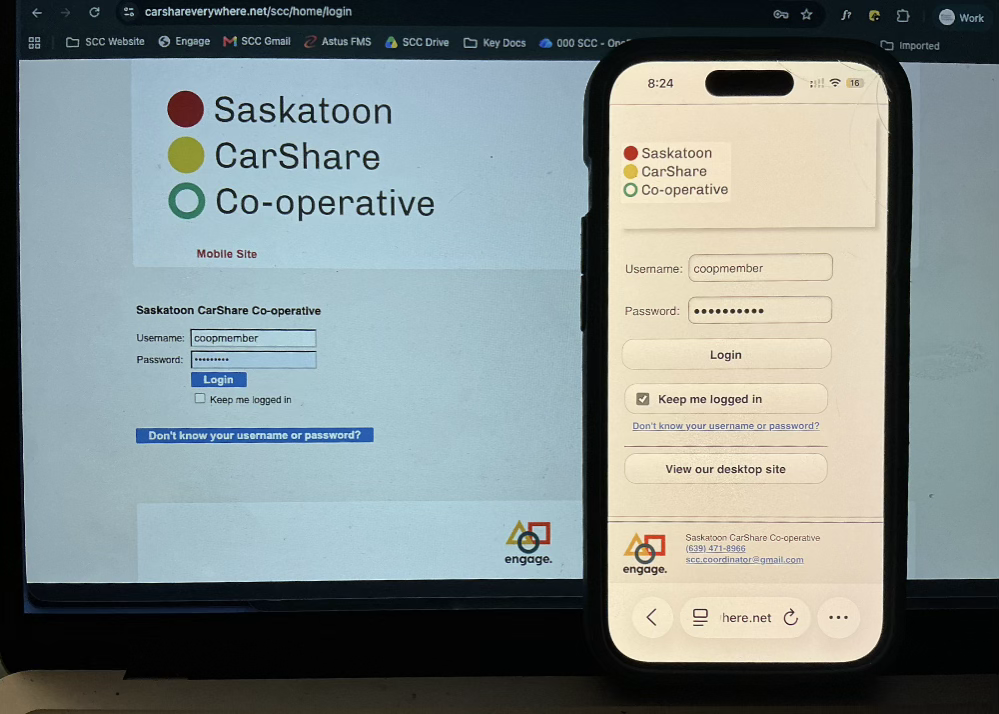
You normally manage your own bookings of vehicles from the CarSharing Co-op. Book your vehicle online online by clicking the Member Login button.
Alternately, bookmark https://carshareverywhere.net/scc/booking and go there. If you are not already logged in, this will take you to Engage, our booking system that is external to our website.
Log in with your username and password (included at the bottom of your welcome letter).
Creating a new booking
Once you are logged in, to create a new booking, click the New Booking link in the Engage navigation. This takes you to our straightforward booking screen.
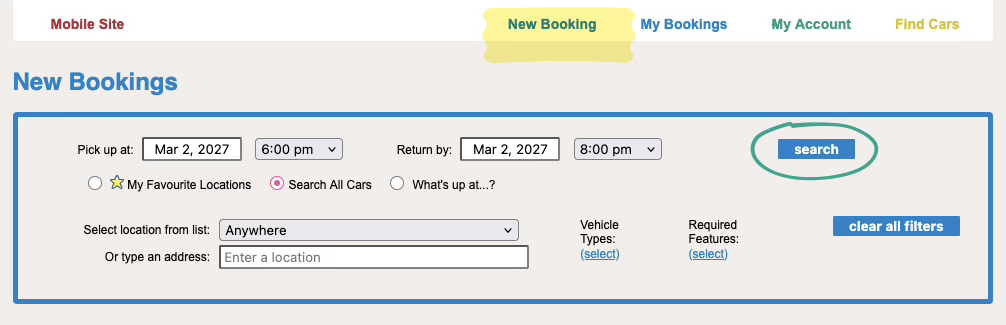
The simplest way to search for cars available for your desired time is to enter the beginning and end date(s) that you will need the car, in the Pick up at and Return by fields. Then adjust the time fields.
When you click the Search button, you will list the cars available, with a green highlight on all the cars for the time you selected:
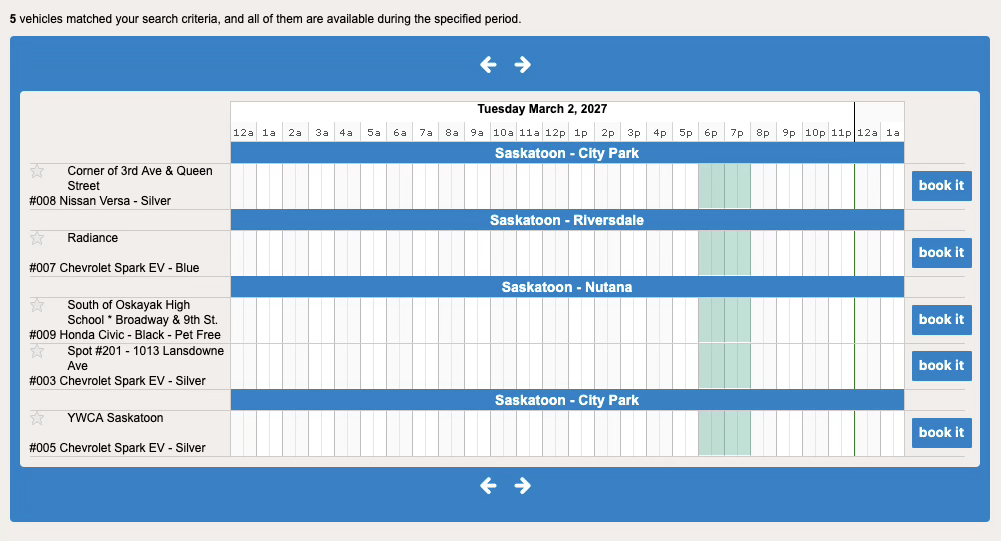
The available cars will be listed on the left, alongside their location in a booking timeline.
The New Booking search form remains above the booking timeline. To see other available car times, you can continue to adjust the date and time fields and click search.
Note: Engage accepts vehicle bookings on quarter hours. Be sure to book enough time— those of us who have been part of the carsharing co-op for awhile always try to book 15-30 minutes longer than we think we’ll need. This ensures we’re on time for returning it, and that no one is waiting for their booked car on busy booking days.
Confirming the booking
To confirm the booking, click the book it button for the car you want, to the right of the car name. Make sure that you are clicking on the correct book it button for the car / pickup location you want.
If the car is available to book, clicking book it will take you immediately to the booking confirmation screen — it’s booked. It will also send a confirmation email to the main email address you have on file with us.
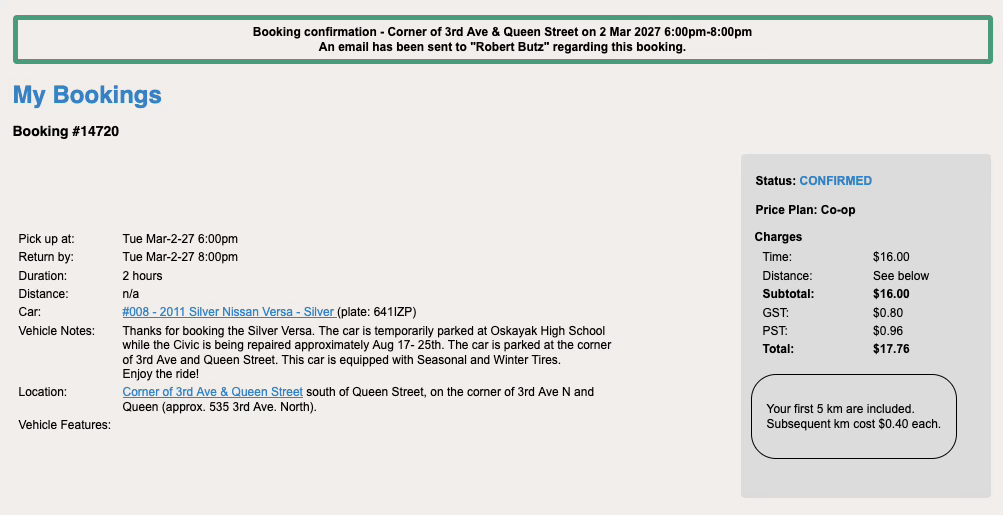
The Booking Confirmation Page shows you the charge for the time you will book the car. Because you may freely travel on your booking, we can’t estimate the distance charge that your trip will incur.
However, the screen reminds you of the current per-km charge for your membership type, and the free km distance included in the booking.
Please look over your Booking Confirmation carefully: check booking date, time, and car.

If you’ve made a mistake, scroll down to see further controls for the booking— you can click Cancel Booking button and the booking will be cleared. However, you have to cancel the booking in either
a) the first five minutes after you’ve made it, or
b) within 12 hours before the booking begins,
or you may incur booking charges.